DataSure
DataSure is IPA’s Data Management System Dashboard, a free, open-source tool for real-time survey data quality monitoring. Learn what DataSure does, what checks it runs, and whether it is right for your project.
- DataSure is IPA’s Data Management System Dashboard, a free tool for monitoring survey data quality in real time.
- It automates nine types of data quality checks, including duplicate detection, outlier identification, and GPS validation.
- DataSure supports IPA’s research protocols for high-frequency checks, backchecks, and survey progress tracking.
- It works with data from SurveyCTO and common file formats including CSV, Excel, and Stata.
What is DataSure?
DataSure is IPA’s Data Management System (DMS) Dashboard, a free, open-source application for monitoring and improving survey data quality during field data collection. Built by IPA’s Global Research and Data Science (GRDS) team, DataSure gives data managers, survey coordinators, and research teams an interactive dashboard for reviewing the quality of their survey data as it is collected.
DataSure runs locally on your computer and opens in a web browser. It connects directly to your SurveyCTO server or accepts uploaded data files in common formats, automatically runs a comprehensive set of quality checks, and presents the results in clear, interactive dashboards. When issues are found, DataSure provides tools to record and track corrections with a full audit trail.
The current version of DataSure is 0.8.0.
DataSure and IPA’s Research Protocols
IPA requires all research projects to follow data quality protocols known as the Minimum Must Dos (MMDs). These protocols cover data management, data quality, data security and ethics, and knowledge management.
DataSure directly supports the following MMD requirements:
- High-frequency checks (HFCs): DataSure automates nine types of quality checks covering the full scope of what IPA’s MMDs require for HFCs. See High-Frequency Checks for more on what HFCs are and why they matter.
- Backchecks: DataSure’s Back Checks module compares survey responses against re-interview validation data to identify discrepancies and measure enumerator reliability. See Backchecks for background on the backcheck protocol.
- Survey progress tracking: DataSure tracks submissions in real time, reporting daily, weekly, and monthly progress toward your survey target.
DataSure is an alternative to IPA’s Stata-based DMS (ipacheck), not a replacement. Teams that already use Stata can continue using ipacheck. DataSure is especially useful for teams that do not use Stata, or that prefer a visual dashboard interface. See IPA’s Data Management System for more on the Stata-based DMS.
What DataSure Checks
DataSure runs nine specialized quality check modules. Each module focuses on a specific dimension of data quality.
Summary
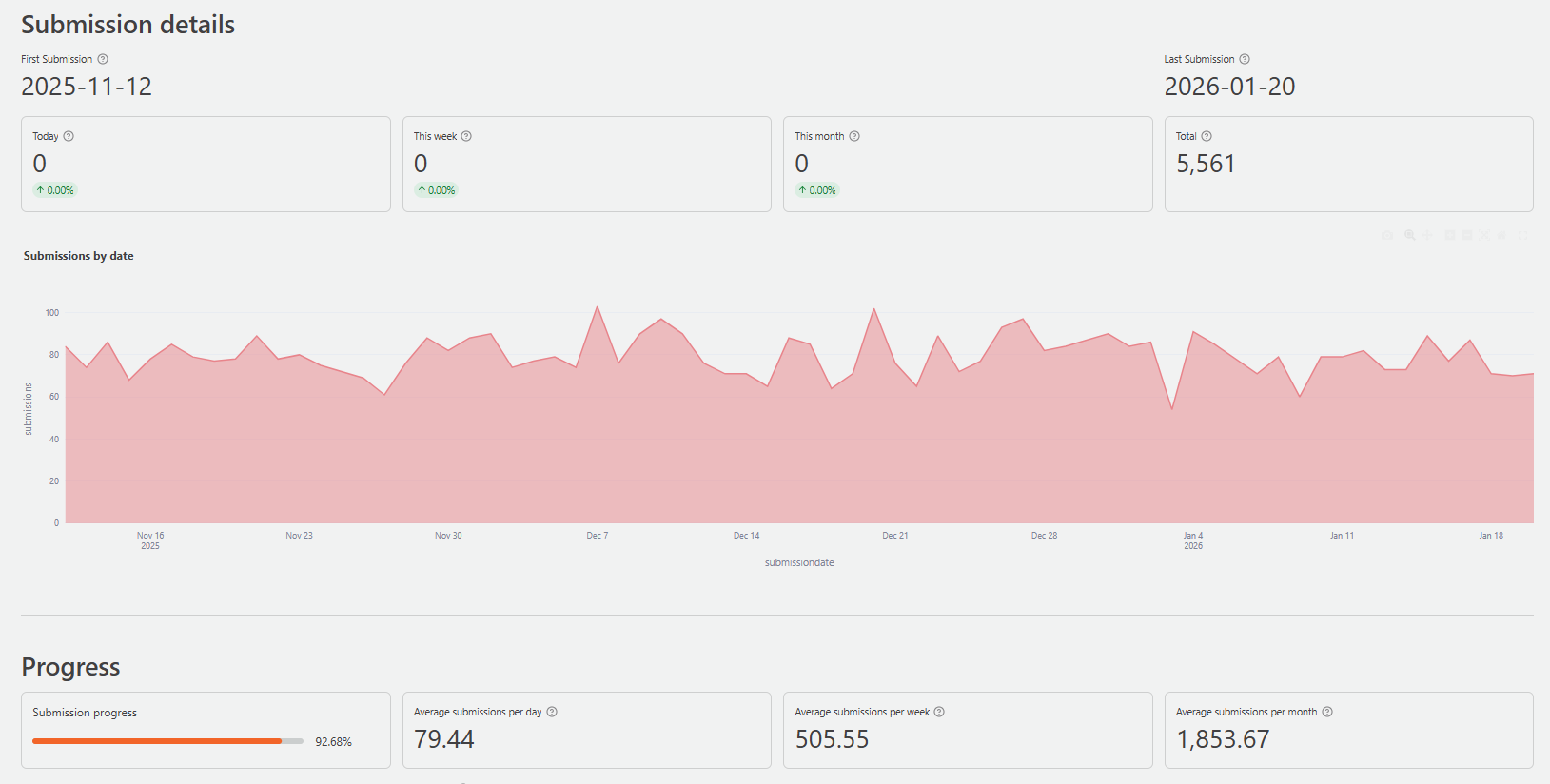
Provides a high-level overview of your project, including total submissions, submission trends over time, and key quality metrics such as duplicate rates, missing data rates, and backcheck error rates. Use this module to get a quick picture of how data collection is progressing.
Survey Progress
Tracks interview completion relative to your target sample size. Shows submissions by day, week, and month, and monitors consent and completion rates. Use this module to assess whether collection is on pace and to identify slowdowns or gaps.
Duplicates
Finds records that share the same respondent ID or other identifiers that should be unique, such as phone numbers or household IDs. Reports which columns contain duplicates and which records are affected. Use this module to catch and investigate duplicate submissions before they affect your analysis.
Missing Data
Identifies patterns of incomplete responses across your dataset. Reports missing values by column, including structured codes such as “Don’t Know” or “Refused to Answer.” Shows how missingness changes over time and varies across enumerators. Use this module to catch systematic data collection problems early.
Outliers
Flags numeric responses that fall outside expected ranges using statistical detection methods. You can configure detection thresholds and set known hard limits for specific variables. Use this module to identify data entry errors, implausible values, and responses that need follow-up.
Enumerator Performance
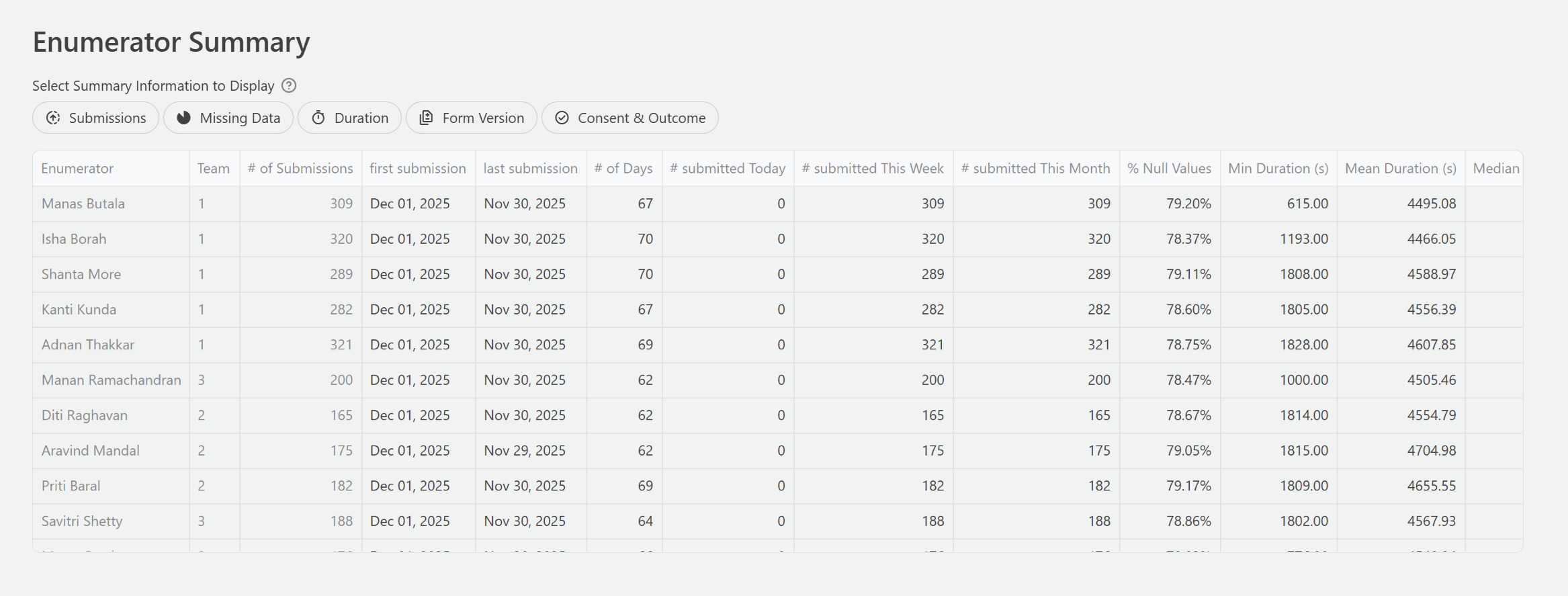
Monitors individual enumerator productivity and data quality. Tracks submission counts, interview duration, consent rates, completion rates, and response patterns by enumerator. Use this module to identify enumerators who may need additional supervision or retraining.
GPS Checks
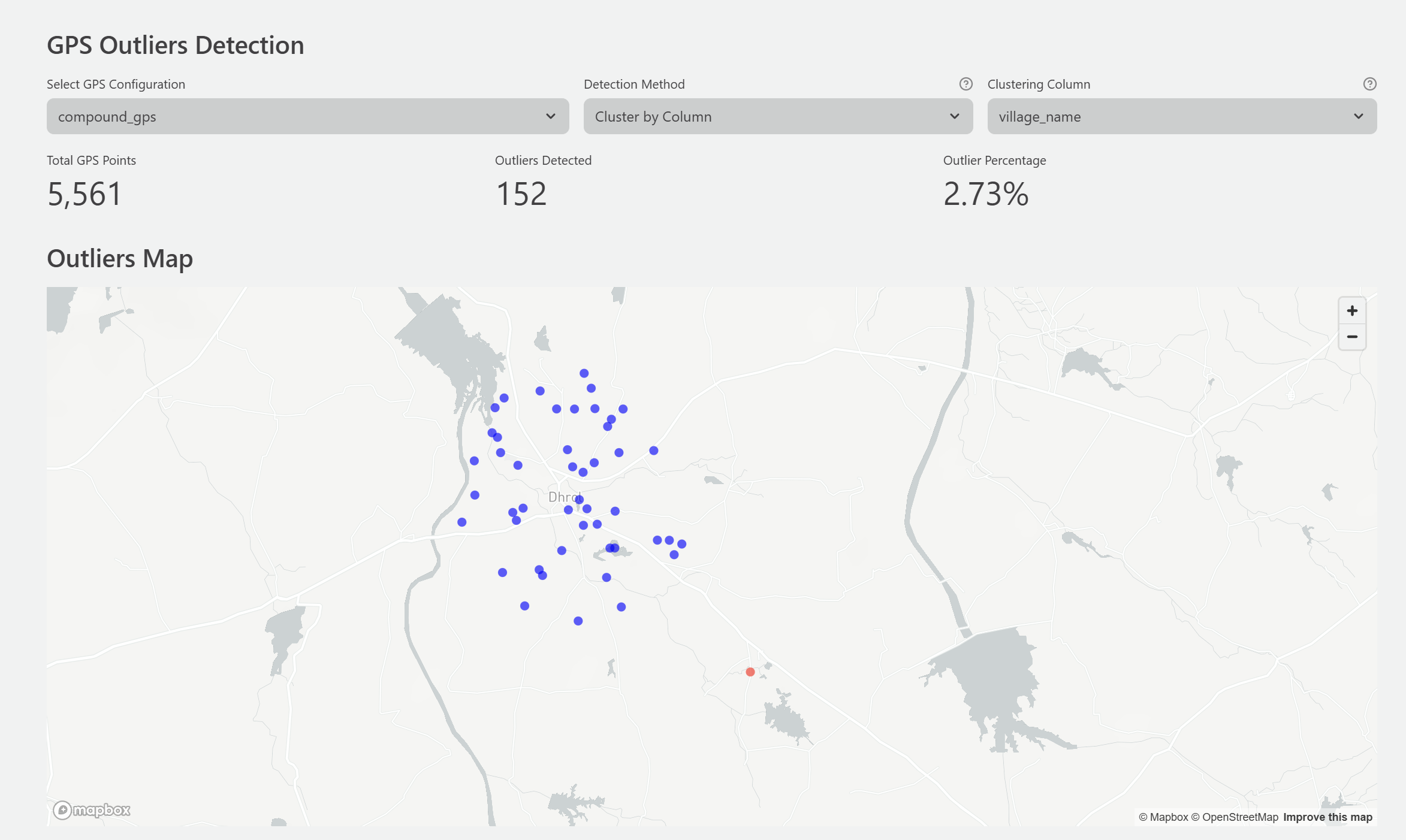
Validates geographic coordinate data by checking for missing, out-of-range, or low-accuracy GPS readings. Displays interview locations on an interactive map. Use this module to verify that surveys are being conducted in the expected locations.
Descriptive Statistics
Provides distribution summaries for selected variables, including histograms, frequency tables, and cross-tabulations. Use this module to review the composition of your data and detect unusual distributions that may indicate collection problems.
Back Checks
Compares responses from re-interview validation visits against the original survey responses. Reports discrepancy rates by column, enumerator, and back-checker. Use this module to assess enumerator reliability and identify systematic errors in data collection.
Who DataSure is For
DataSure is designed for anyone responsible for managing or reviewing survey data during field data collection:
- Data managers running high-frequency checks for an IPA or other research project
- Survey coordinators monitoring field team performance and submission progress
- Research teams that want to review data quality without writing code
- Organizations conducting large-scale surveys who need systematic quality monitoring tools
DataSure does not require programming knowledge to use. It is designed for users who are comfortable with spreadsheets and web applications.
System Requirements
| Requirement | Minimum | Recommended |
|---|---|---|
| Operating System | Windows, macOS, or Linux | Any |
| Python | 3.11 or higher | Latest 3.11+ |
| RAM | 4 GB | 8 GB |
| Storage | 1 GB free | 2 GB free |
| Browser | Chrome, Firefox, Safari, or Edge | Chrome or Firefox |
| Internet | Required only for SurveyCTO | Required only for SurveyCTO |
DataSure runs locally on your computer. No server is required, and no internet connection is needed for local file analysis.
Is DataSure Right for Your Project?
DataSure is a good fit for your project if:
- You are conducting a survey-based research project and need to monitor data quality during data collection
- Your survey data is in SurveyCTO, CSV, Excel, or Stata format
- You want a visual dashboard for quality checks without writing code
- You need to track enumerator performance and survey progress in real time
- You are running backchecks and want an integrated tool to compare survey and re-interview data
DataSure may not be the right fit if:
- You need highly customized or automated checks beyond the nine built-in modules
Ready to install and use DataSure? See the How to Use DataSure guide for step-by-step installation instructions and a full workflow walkthrough.
If your project needs help setting up or running DataSure, IPA’s Global Research and Data Science team provides direct technical support. Email researchsupport@poverty-action.org.